
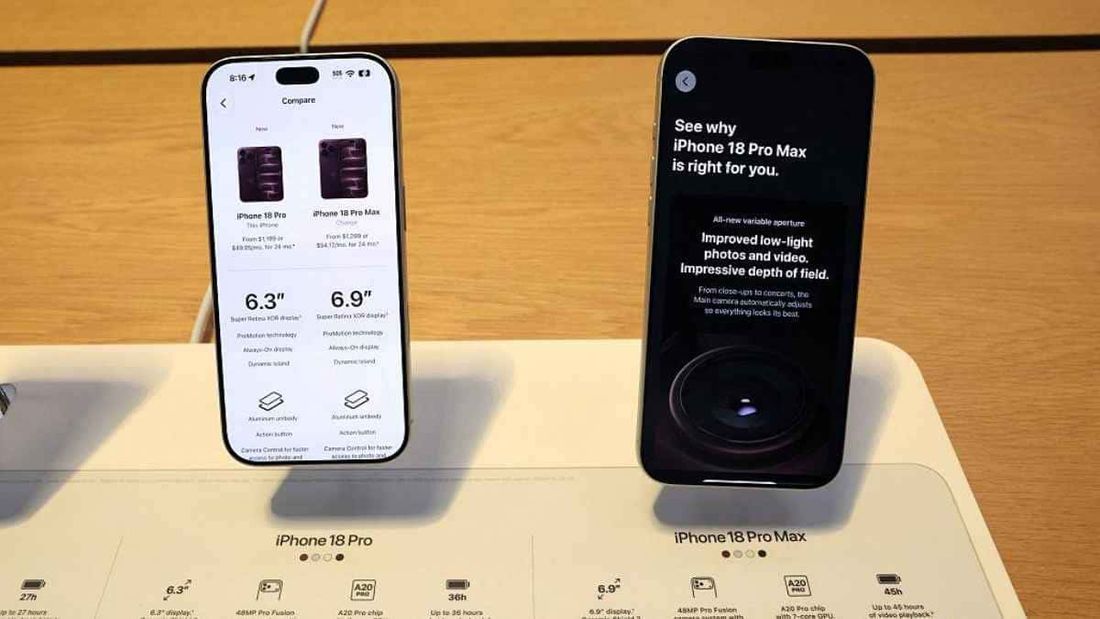
Although the iPhone 18 Pro Max offers the longest battery life in Apple's smartphone history, some users may notice faster battery drain, particularly during the initial period of using the device or after installing system updates. This may be linked to background processes running without the user's knowledge.
According to a report published by BGR, one of the main reasons behind this issue is the data indexing process performed by the new AI-powered version of Siri, along with the battery calibration process, through which the phone learns usage patterns and improves power management.
The new Siri needs to index information stored locally on the device, including messages, emails, notes, photos, and other data, so it can access and use them when responding to user requests.
This process may take approximately one week, during which the phone may consume more power.
The report noted that keeping the phone connected to its charger for longer periods may help speed up the indexing process. However, this process can also continue while the phone is being used and carried outside the home.
The reasons do not end there. The iPhone also performs battery calibration over several days and weeks to understand how the device is used and optimize power management according to the user's habits. This may lead to fluctuations in battery consumption initially.
𝗪𝗵𝗲𝗻 𝗪𝗶𝗹𝗹 𝘁𝗵𝗲 𝗕𝗮𝘁𝘁𝗲𝗿𝘆 𝗥𝗲𝘁𝘂𝗿𝗻 𝘁𝗼 𝗡𝗼𝗿𝗺𝗮𝗹?
The report recommends continuing to use and charge the phone normally until background processes are completed and stabilized. It explains that major iOS updates, such as versions 27.2 and 27.3, may require certain data to be reindexed, meaning that increased power consumption could continue for a few additional days.
However, if the problem persists for an extended period, other factors may be responsible, including weak Wi-Fi or 5G network connections. In such cases, the phone may constantly search for a stronger signal or repeatedly switch between networks, consuming additional battery power.
Users can identify the apps and activities consuming the most power by going to Settings, selecting Battery, and reviewing daily usage to determine whether an app or system activity is consuming an unusual amount of energy.
𝗦𝗲𝘁𝘁𝗶𝗻𝗴𝘀 𝗧𝗵𝗮𝘁 𝗛𝗲𝗹𝗽 𝗥𝗲𝗱𝘂𝗰𝗲 𝗕𝗮𝘁𝘁𝗲𝗿𝘆 𝗗𝗿𝗮𝗶𝗻
Among the measures that can help extend battery life is reducing background app refresh. This can be done by going to Settings, then General, and selecting Background App Refresh, where users can restrict background activity to Wi-Fi only or disable the feature entirely.
Low Power Mode can also be enabled when needed, as it limits certain energy-consuming activities, such as iCloud syncing and email fetching.
The report also points out that high phone temperatures can accelerate battery drain, particularly when several processor-intensive tasks are performed simultaneously, such as playing music and using GPS navigation in extremely hot weather.
Therefore, battery drain on the iPhone 18 Pro Max during the initial period does not necessarily indicate a battery defect. It may instead result from the indexing and calibration processes the phone needs to complete before achieving more stable power consumption.
𝗦𝗼𝘂𝗿𝗰𝗲: 𝗘𝗿𝗲𝗺 𝗡𝗲𝘄𝘀