
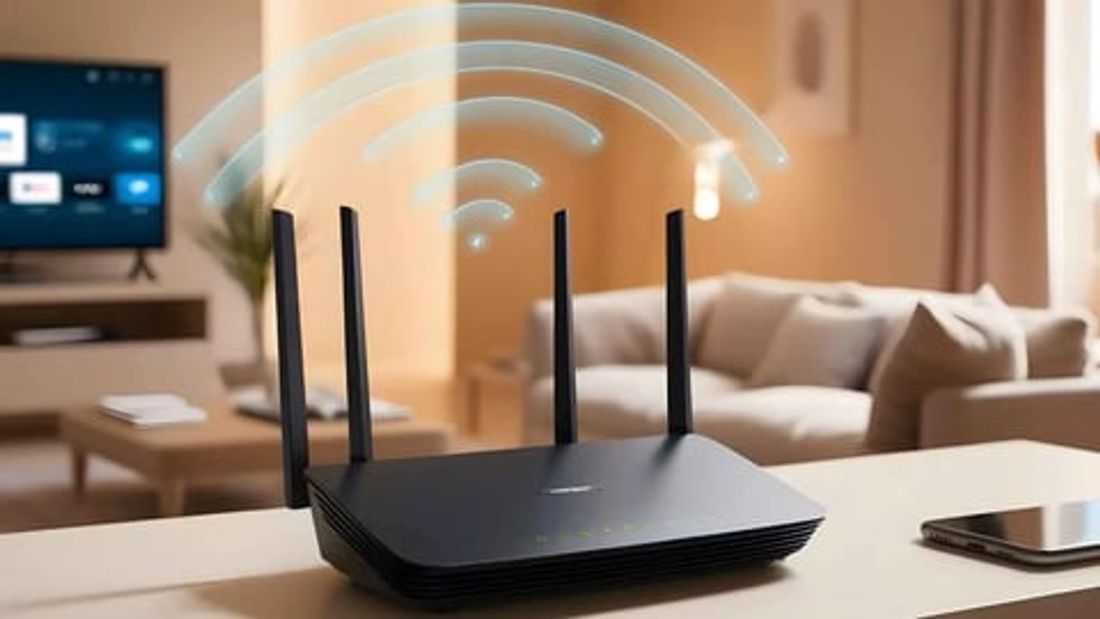
Many people assume that slow home internet is caused by an inadequate subscription plan or an underperforming router. However, the real cause often lies in common usage habits and poor network configuration.
To get the best performance from your home network, buying a newer device or subscribing to a faster internet plan is not enough. You also need to configure your network correctly and avoid several common mistakes.
𝗜. 𝗣𝗹𝗮𝗰𝗶𝗻𝗴 𝘁𝗵𝗲 𝗥𝗼𝘂𝘁𝗲𝗿 𝗶𝗻 𝘁𝗵𝗲 𝗪𝗿𝗼𝗻𝗴 𝗟𝗼𝗰𝗮𝘁𝗶𝗼𝗻
The router's location directly affects how well the Wi-Fi signal spreads throughout your home. Placing it in a distant corner or inside a closed cabinet can limit the signal's reach to other rooms, even if your internet plan offers high speeds.
Ideally, place the router in a central, open location, at a suitable height, and away from large obstacles and devices that may cause wireless interference.
You should also avoid placing it near microwave ovens, certain cordless phones, and baby monitors, as some of these devices may interfere with Wi-Fi frequency bands, depending on their operating frequencies and how they function.
If the internet connection enters your home far from its center, you can install an additional access point and connect it to the router using an Ethernet cable to improve coverage.
𝗜𝗜. 𝗨𝘀𝗶𝗻𝗴 𝗪𝗶-𝗙𝗶 𝗳𝗼𝗿 𝗘𝘃𝗲𝗿𝘆 𝗗𝗲𝘃𝗶𝗰𝗲
Although wireless connectivity is convenient, it is not the best option for every device, particularly those that require a stable connection and low latency, such as gaming computers and televisions streaming high-definition content.
When multiple phones, tablets, televisions, and gaming consoles connect to the same network, they share the available wireless resources. Performance may suffer under certain conditions, especially when network usage is heavy or the signal is weak.
This is where Ethernet cables come in. They provide a more stable wired connection, reduce susceptibility to wireless interference, and may lower latency during online gaming.
Cat 6a cables can support speeds of up to 10 Gbps over distances of up to 100 meters when used with compatible equipment and under suitable conditions. However, actual speeds still depend on the ports available on the router and connected device, as well as the other components of the network.
Before installing cables, identify the devices that would benefit most from a wired connection, organize cable routes, and label the cables to make troubleshooting easier later.
𝗜𝗜𝗜. 𝗖𝗵𝗼𝗼𝘀𝗶𝗻𝗴 𝗮 𝗥𝗼𝘂𝘁𝗲𝗿 𝗧𝗵𝗮𝘁 𝗗𝗼𝗲𝘀𝗻'𝘁 𝗠𝗮𝘁𝗰𝗵 𝗬𝗼𝘂𝗿 𝗜𝗻𝘁𝗲𝗿𝗻𝗲𝘁 𝗣𝗹𝗮𝗻
Not every fast router is necessarily suitable for your needs. For example, purchasing an advanced gaming router may be an unnecessary investment if your internet speed is limited by your service type or the infrastructure available in your area.
Before buying a router, compare the speeds it supports with those offered by your internet plan. You should also consider your home's size, the number of connected devices, and the coverage you need.
Larger homes or those with multiple floors may benefit from mesh Wi-Fi systems, which use several units to distribute the signal throughout the property. However, performance depends on where the units are placed and the quality of the connection between them.
𝗜𝗩. 𝗡𝗲𝗴𝗹𝗲𝗰𝘁𝗶𝗻𝗴 𝗪𝗶-𝗙𝗶 𝗦𝗲𝗰𝘂𝗿𝗶𝘁𝘆 𝗦𝗲𝘁𝘁𝗶𝗻𝗴𝘀
Using outdated or weak security settings can expose your network to unnecessary risks. Therefore, it is advisable to use the WPA3-Personal security protocol if your router and connected devices support it.
If some of your older devices are incompatible, WPA2/WPA3 transition mode may be a suitable alternative, depending on your router's capabilities. Older security protocols, such as WEP and TKIP, should be avoided.
Security is not limited to your Wi-Fi password. It is also important to change the router's administrator login credentials, as these provide access to network settings and management.
Use strong, different passwords for both accounts, and avoid default passwords or information that is easy to guess.
𝗩. 𝗜𝗴𝗻𝗼𝗿𝗶𝗻𝗴 𝗥𝗼𝘂𝘁𝗲𝗿 𝗨𝗽𝗱𝗮𝘁𝗲𝘀
Delaying router firmware updates may leave known security vulnerabilities unaddressed and prevent you from benefiting from fixes and improvements released by the manufacturer.
Check regularly for official updates for your device, and enable automatic updates if the feature is available and suitable for your needs.
It is best to install updates through the official app or the router's administration interface and avoid installing files from unknown sources.
𝗩𝗜. 𝗔𝗱𝗱𝗶𝗻𝗴 𝗡𝗲𝘄 𝗗𝗲𝘃𝗶𝗰𝗲𝘀 𝗪𝗶𝘁𝗵𝗼𝘂𝘁 𝗖𝗵𝗲𝗰𝗸𝗶𝗻𝗴 𝗖𝗼𝗺𝗽𝗮𝘁𝗶𝗯𝗶𝗹𝗶𝘁𝘆
Adding another router or a new mesh system without configuring it correctly can cause connectivity problems, even when the devices themselves are reliable.
One example is running two DHCP servers on the same local network without proper configuration. This may result in conflicting or unexpected IP address assignments.
To avoid this problem, follow the manufacturer's instructions when adding a new router. When appropriate, use Access Point mode or Bridge mode instead of allowing multiple devices to perform overlapping routing functions.
Remember that the correct configuration depends on how the devices are connected and how the network is designed. Simply changing operating modes at random is not enough.
𝗩𝗜𝗜. 𝗠𝗮𝗸𝗶𝗻𝗴 𝗧𝗼𝗼 𝗠𝗮𝗻𝘆 𝗖𝗵𝗮𝗻𝗴𝗲𝘀 𝗮𝘁 𝗢𝗻𝗰𝗲
When improving a home network, it may be tempting to replace the router, add mesh units, install Ethernet cables, and change settings all at once. However, this approach makes it more difficult to identify the cause of a problem if something goes wrong.
Instead, make changes gradually and test the connection after each step. Record your original settings and keep a simple diagram showing the devices, cables, and how everything is connected.
This approach makes troubleshooting easier and allows you to restore the network to its previous configuration more quickly if necessary.
𝗛𝗼𝘄 𝗖𝗮𝗻 𝗬𝗼𝘂 𝗚𝗲𝘁 𝘁𝗵𝗲 𝗕𝗲𝘀𝘁 𝗣𝗲𝗿𝗳𝗼𝗿𝗺𝗮𝗻𝗰𝗲 𝗙𝗿𝗼𝗺 𝗬𝗼𝘂𝗿 𝗛𝗼𝗺𝗲 𝗡𝗲𝘁𝘄𝗼𝗿𝗸?
You do not always need to buy a new router or upgrade your internet plan to improve your connection. In many cases, relocating the router, connecting important devices through Ethernet, updating security settings, and configuring additional devices correctly can make a noticeable difference.
A good home network starts with proper configuration, not the most expensive equipment. Simple planning, regular updates, and adding devices gradually can help improve connection stability and make better use of the internet speed available to you.
𝗦𝗼𝘂𝗿𝗰𝗲: 𝗘𝗿𝗲𝗺 𝗡𝗲𝘄𝘀